
Knowledge Resource
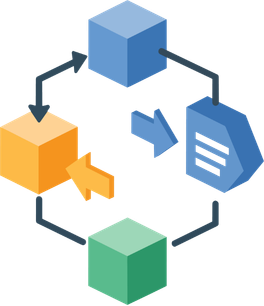
The parts inside the box.
A Knowledge Resource is one piece of material from your application, shared with its own files, its own description and its own identifier. A Knowledge Package is built by putting resources together.
What can be a resource
Section titled “What can be a resource”Almost anything that helps someone understand or rerun your work:
- Space-based data
- In-situ data
- Scripts
- Tools
- Workflow
- Articles and notes
- User stories
- Webinars and videos

Documentation counts as much as data. A dataset nobody can interpret is not reusable, and the note explaining how it was produced is often the part that makes the difference.
Why resources are separate things
Section titled “Why resources are separate things”You could bundle everything into one big upload. Keeping the parts separate buys you three things:
They can be cited on their own. A resource gets its own DOI, so someone reusing just your dataset can credit it directly.
They are versioned independently. Correcting a script does not force a new version of the dataset next to it.
They can be reused. The same resource can belong to more than one package, the way a standard part fits several kits.
From draft to published
Section titled “From draft to published”A resource follows the same two states as a package, with one extra step: it can be associated with a package.
Draft is private to you, and you can change its metadata and files freely, or delete it.
Published is public and its files are frozen. Metadata stays editable, and changing the files means creating a new version.